Starter template
The way from an empty repository to a working site — one step at a time.
Step one
A repository on GitHub
An empty repository — the place where your project will live.
Your project lives on this server. GitHub is the only road by which it can leave: to your machine, to another server, to a colleague. Without it the work exists in exactly one place, and that place is a rented machine.
Private or public is your choice. Private is safer: your settings files will end up in the repository.
Create an empty repository on GitHub and paste its address below. Nothing else is needed on this step.
Open your repository on GitHub
Copy the address from the browser bar or from the green «Code» button
It looks like this: https://github.com/owner/repository
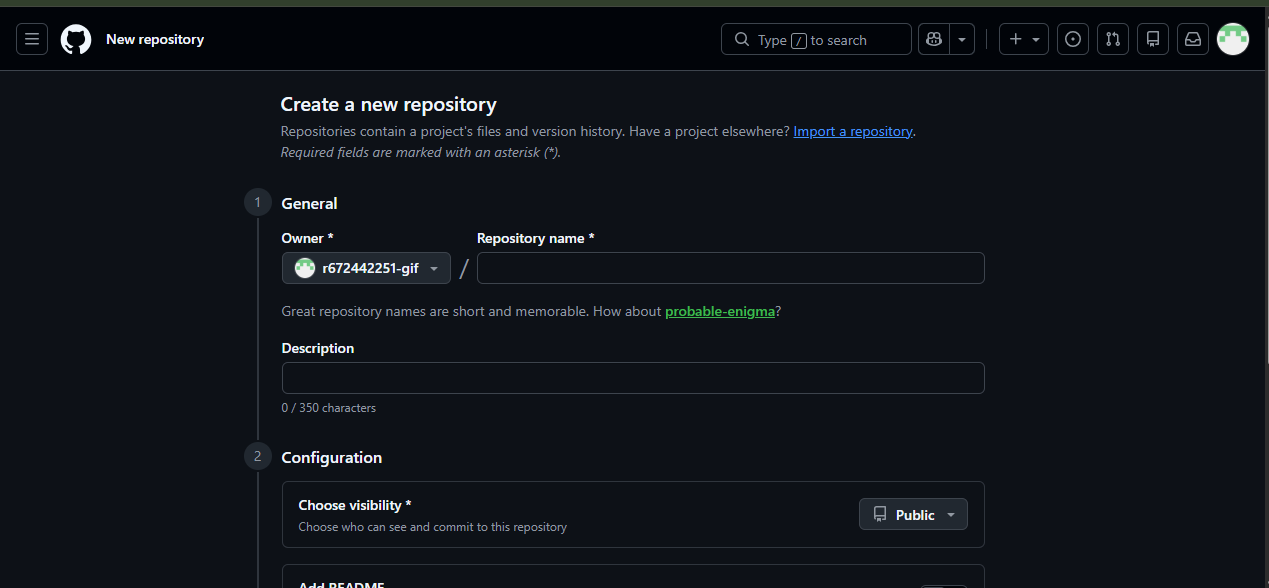
This is how it looks on GitHub: only the name is filled in, the rest can stay as it is.