Your own Fractera repository
The way for a project already built on Fractera: the slot takes it in place of the template.
Step one
A fork of the project you will develop
Find a Fractera project on GitHub you want to build on and press Fork on its page. Then name the address of the repository you get — your own.
What a fork is. It is your own copy of someone else's repository, made by GitHub in one press. It sits in your account under your name straight away, and you may change anything in it — the original project is untouched. That is exactly why you will not need to create an empty repository or push the project into it later: it is yours already and already in place.
Name the address of YOUR fork, not of the original project. Telling them apart is easy: the fork address carries your GitHub name, not someone else's.
What you will need:
A GitHub account — the fork is made under your name.
The full address of your fork, of the form https://github.com/your-name/project.
The fork may be private: the next step asks for a token, and the panel reads it with that.
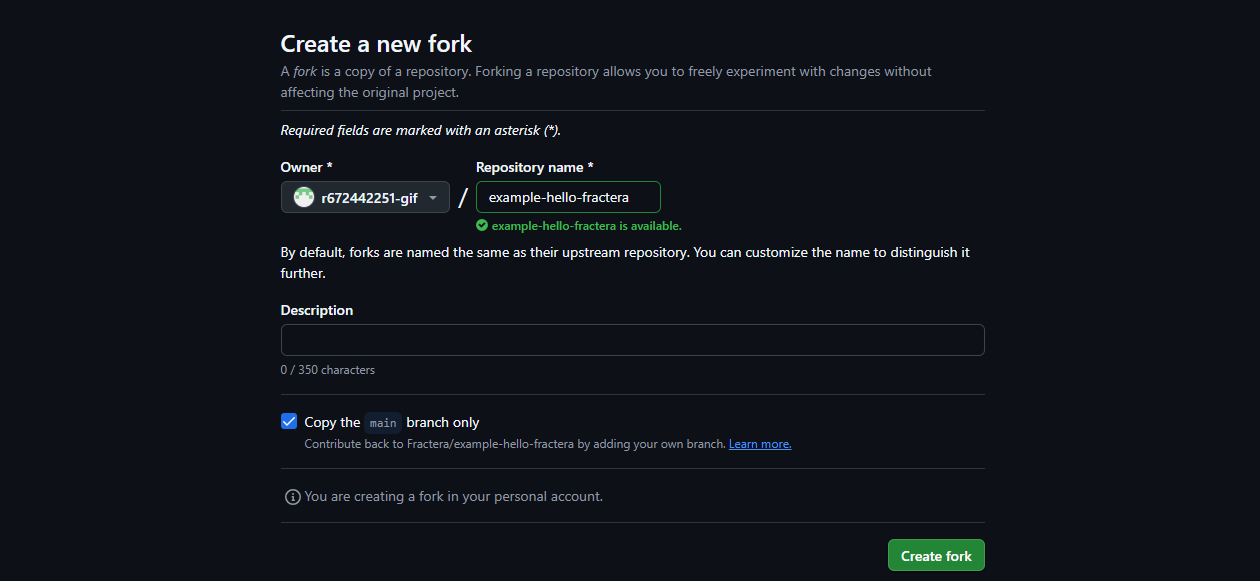
This is how it looks on GitHub: nothing needs changing — pressing Create fork is enough.